
Best Apps to Manage Recipes: 2026 Guide
Table of Contents
- Why You Need a Recipe Management App
- Best Recipe Organizer Apps: Feature Comparison
- How to Save Recipes from Instagram and Social Media
- Recipe Apps with Grocery List Features
- How to Organize Recipes Digitally by Diet and Preference
- Free vs. Paid Recipe Management Apps
- Data Privacy and Recipe Portability
- Choosing the Right App for Your Kitchen
- Frequently Asked Questions
Last Updated: October 10, 2026
Why You Need a Recipe Management App
The problem isn't finding recipes anymore, it's managing them, which is why the best apps to manage recipes have become essential for home cooks.
A recipe management app consolidates everything into one searchable collection, lets you find recipes instantly, and generates grocery lists without retyping ingredients, saving busy parents real time on meal planning.
The best apps to manage recipes clean up messy recipe data, tag and filter by dietary needs, sync across devices, and integrate with grocery shopping.
What separates a useful recipe app from one you'll abandon is simplicity. The best recipe organizer apps balance powerful features with a straightforward workflow.
Best Recipe Organizer Apps: Feature Comparison
Some recipe apps focus purely on saving and organizing recipes; others bundle in meal planning, grocery list generation, and nutrition tracking. The right choice depends on your specific needs and budget.
Core Features to Compare
When evaluating recipe apps, focus on these key capabilities:
Recipe Import & Capture
- Can you paste URLs from websites or food blogs?
- Does it have browser extensions for one-click saving?
- Does it support Instagram, YouTube, or TikTok integrations?
- Can it extract recipes from images using OCR?
- How accurate is automatic ingredient and instruction extraction?
Search & Organization
- Can you search by ingredient, recipe name, cook time, or dietary tag?
- Does the app suggest tags automatically?
- Can you create unlimited custom categories?
- Is filtering fast and intuitive?
Meal Planning & Grocery Lists
- Can you select recipes and auto-generate a consolidated shopping list?
- Does it combine duplicate ingredients?
- Can you sort by store section or ingredient type?
- Can you share lists with household members or sync across devices?
Cross-Device Access & Syncing
- Is the app available on iOS, Android, and web?
- Do changes sync instantly across devices?
- Can you access recipes offline?
- Is the interface usable on a small phone screen while cooking?
Recipe Editing & Customization
- Can you scale recipes and have ingredients adjust automatically?
- Can you edit imported recipes and add notes?
- Can you add photos, tips, or personal variations?
- Can you rate or flag favorites for quick access?
Data Ownership & Backup
- Can you export your recipe collection in standard formats (PDF, CSV, JSON)?
- Are recipes stored locally, in the cloud, or both?
- Does the app require an account?
- What happens to your data if the app shuts down?
What Makes a Recipe App Worth Using
A recipe app is only useful if it solves a real problem: saving time on grocery shopping, keeping family recipes in one place, filtering by dietary restrictions, or having a searchable backup. Core features that matter: Can you easily add recipes from the web? Can you search and filter? Does it generate grocery lists? Can you access it on phone and computer? Some apps excel at one thing; others try to do everything and end up bloated.
Test the most common workflow: save a recipe from a food blog or YouTube video, then generate a grocery list. If smooth and accurate, it's worth your time. If it requires multiple steps or manual corrections, move on.
How to Save Recipes from Instagram and Social Media
Saving recipes from Instagram, TikTok, and YouTube is where recipe apps prove their value. Instead of screenshotting or copying ingredients manually, the best apps capture recipe data directly from the source. Some let you paste URLs; others have browser extensions or direct platform integrations; a few use OCR to extract text from screenshots.
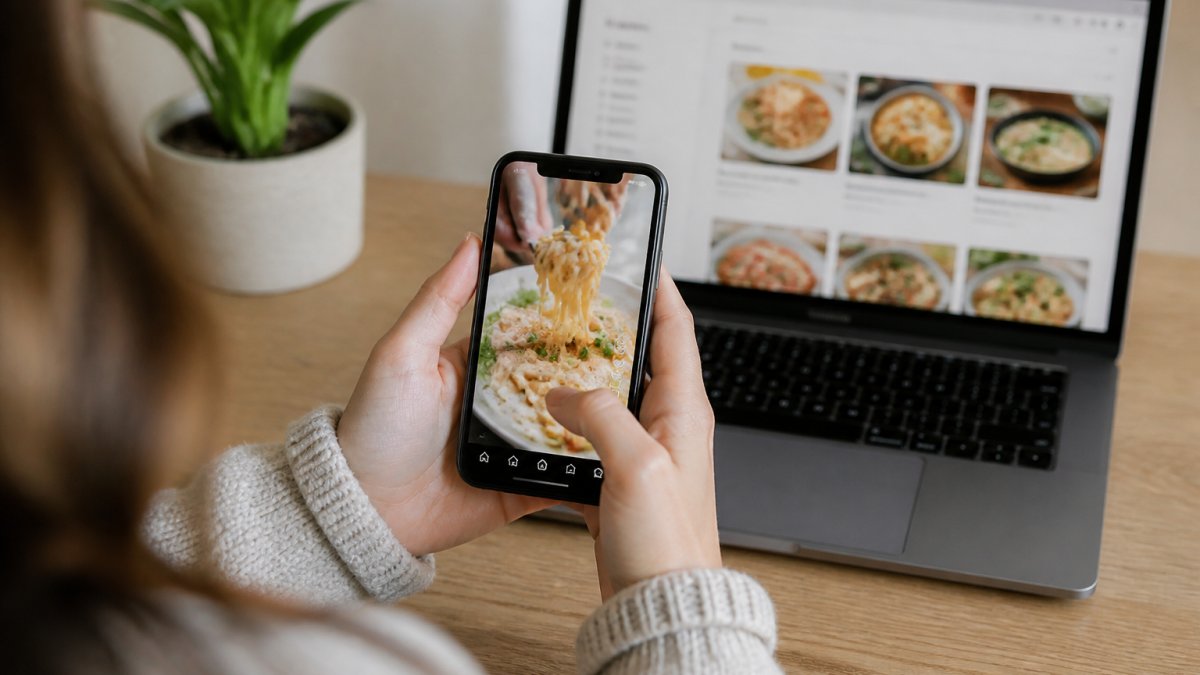
Apps that pull recipes directly from websites extract ingredient lists automatically, reducing errors and saving time. Not every social media recipe is structured for perfect parsing, Instagram Reels and TikTok videos often lack formal recipe cards with precise measurements. The best apps let you edit recipes after importing to fill gaps or adjust quantities.
Recipe Apps with Grocery List Features
Converting saved recipes directly into a grocery list saves real time. Apps that integrate recipe storage with grocery list creation let you select recipes, then generate a shopping list sorted by store section or ingredient type. Some let you check items off as you shop, sync with family, or send to your phone.
The best grocery list features handle ingredient consolidation, if three recipes call for garlic, the app combines them into one line item with the total quantity needed.
Linkplate excels at this workflow: it captures recipes from YouTube, Instagram, and food blogs, then converts them directly into a grocery list, one simplified process from discovery to shopping.
How to Organize Recipes Digitally by Diet and Preference
Once you've built a recipe collection, organization becomes critical to avoid clutter.
Filtering by Dietary Restrictions and Allergies
Tag recipes by dietary needs so you can filter by vegetarian, gluten-free, nut allergies, etc. Some apps set dietary preferences at the account level and automatically flag recipes that don't match; others require manual tagging. The best approach is hybrid: the app suggests tags based on ingredients, but you can override or add custom tags.
Linkplate lets you organize recipes by dietary requirements and filter to show only recipes that fit your household's needs.
Tagging and Search Systems
Create custom categories by cuisine, meal type, cooking time, difficulty level, or occasion. A powerful search function lets you search by ingredient, tag, recipe name, source, cook time, or available ingredients.
The difference between a recipe app you use regularly and one you abandon is how quickly you can find what you're looking for. If you have to click through multiple menus to filter by tag, you'll stop using it. If you can search in two seconds, you'll reach for the app instead of scrolling through your phone's photos.
Free vs. Paid Recipe Management Apps
Most recipe apps offer a free tier with basic features and a paid subscription for advanced functionality. Understanding the specific trade-offs between free and paid tiers is essential before committing your time to building a recipe collection.
What Free Tiers Typically Include
Free tiers usually include basic recipe saving, organization, and search. However, limitations vary significantly by app:
Get started with the Founder offer →
- Recipe storage limits: Some apps cap free users at 50-100 saved recipes; others allow unlimited storage but restrict advanced features.
- Device sync: Many free tiers limit you to one device (phone only, for example) or require manual export to move recipes between devices.
- Grocery list features: Basic list creation may be free, but advanced features like ingredient consolidation, sharing with family, or syncing to a smart shopping cart may require payment.
- Import capabilities: Some apps allow URL imports on free plans but charge for browser extensions or direct social media integrations.
- Meal planning: Free tiers often exclude meal planning entirely or limit you to a single week of plans.
- Ads and tracking: Free versions may include advertisements or use your data for recommendations and analytics.
What Paid Subscriptions Unlock
Paid subscriptions usually include:
- Unlimited recipe storage across all devices
- Full grocery list integration with advanced features (consolidation, sharing, sorting)
- Meal planning for multiple weeks or months
- Advanced search and filtering (by cook time, difficulty, dietary needs)
- Recipe scaling with automatic ingredient adjustment
- Offline access to your full recipe collection
- Priority customer support
- No ads or data tracking
Evaluating the Cost
The right choice depends on your usage intensity and workflow:
Choose free if:
- You save recipes occasionally (fewer than 5 per week)
- You don't rely on meal planning or grocery lists
- You primarily use one device (phone or computer)
- You're willing to manually manage your collection
Choose paid if:
- You actively save recipes multiple times per week
- You use grocery list features regularly for shopping
- You need to sync across phone, tablet, and computer
- You cook for a household with multiple people or dietary needs
- You want offline access or automatic backups
Trial periods and money-back guarantees: Some apps offer 7-14 day free trials of paid features, allowing you to test before committing. Others offer a 30-day money-back guarantee. Check the app's website or app store listing for trial eligibility.
Cost Comparison in Context
If you're currently subscribing to multiple recipe or meal planning apps, consolidating to one paid solution might actually save money. For example, if you're paying for a meal planning app, a grocery list app, and using Pinterest for recipe storage, a single recipe app that combines all three functions can be a net savings.
Consider also the time value: if a paid app saves you 30 minutes per week on meal planning and grocery shopping, that's roughly 26 hours per year. Whether that's worth a monthly cost is a personal decision, but for busy households, the convenience often justifies the cost.
Data Privacy and Recipe Portability
Before committing to any recipe app, understand what happens to your data. Are your recipes stored on the app's servers or on your device?
These questions matter because you're building a personal recipe archive.
The best apps let you export your recipe collection in a standard format like PDF or CSV. Some apps offer automatic cloud backups. Others let you download your data at any time.
Linkplate prioritizes data ownership. Your recipes are yours. The platform is designed to transform how you interact with online recipes while keeping your collection safe and accessible.
Privacy is equally important. Check whether the app sells your data, uses your recipe collection for marketing purposes, or shares information with third parties.
Choosing the Right App for Your Kitchen
The best recipe management app for you depends on your specific workflow. Consider these factors:
How you discover recipes: Do you primarily save from social media, food blogs, or cookbooks? Choose an app with strong import features for your preferred sources.
Organization needs: Do you need advanced filtering by dietary restrictions, cuisine, or cook time? Or is basic tagging sufficient?
Grocery list integration: Is converting recipes to shopping lists a priority? If so, prioritize apps with strong grocery list features.
Device compatibility: Do you need to access recipes on your phone, tablet, and computer? Make sure the app syncs seamlessly across devices.
Collaboration: Do you cook with family members who should access the same recipe collection? Look for apps with sharing and permission features.
Budget: How much are you willing to spend monthly? Compare free tiers and paid plans.
The most important factor is whether you'll actually use the app consistently.
Linkplate is built specifically for this workflow.
Frequently Asked Questions
What's the difference between a recipe app and a recipe manager?
A recipe app typically stores recipes you create or upload manually, while a recipe manager actively captures and cleans recipes from external sources like websites, YouTube, and Instagram. Recipe managers also often include organization tools, dietary filtering, and grocery list generation. The key difference is automation: managers pull recipes directly from the internet and handle the messy work of extracting ingredients and instructions, whereas apps require more manual input from you.
Can I save recipes from Instagram and TikTok videos reliably?
Modern recipe organizer apps can capture recipe content from Instagram feeds and stories, though video-based recipes (like Reels or TikTok) require the app to extract ingredient lists and instructions from captions, overlays, or linked sources. Reliability depends on how the recipe is formatted in the video. Apps work best when recipes include text descriptions; purely visual cooking videos may need manual ingredient entry. Always check the app's supported platforms before committing.
How much time does a recipe app with grocery list features actually save?
The time savings come from consolidating recipes and automating list creation. Instead of hunting through bookmarks, emails, or notebooks to find recipes, then manually writing a shopping list, a recipe app lets you select meals and generate a complete grocery list in seconds. For busy parents juggling multiple dietary needs, this can save 15-30 minutes per grocery planning session. The real benefit grows as your recipe collection expands, the more recipes you have organized, the faster meal planning becomes.
What happens to my recipes if a recipe management app shuts down?
This depends on the app's data export policy. The best recipe organizer apps allow you to export your entire collection as a backup file (usually CSV or PDF format) that you can store locally or import into another service. Check whether the app offers automatic cloud backups and whether you can download your data anytime, not just when canceling. Apps with strong privacy practices and data ownership policies let you retain full control of your recipes regardless of what happens to the company.
The challenge with recipe management isn't finding recipes, it's organizing the ones you've found. With Linkplate, you capture recipes from YouTube, Instagram, and food blogs in seconds, organize them by dietary needs and preferences, and generate grocery lists automatically. Get started with the Founder offer and transform how you manage your kitchen.
Questions or ideas for a post? Get in touch →