
How to Keep Online Recipes Readable While Cooking
Last Updated: October 31, 2026
Quick Summary
To keep online recipes readable while cooking, prop your device at eye level away from glare, turn on a keep-screen-awake setting, and save the recipe as a clean copy without ads. Add hands-free controls such as voice commands, a Bluetooth remote, or a foot pedal so you can move through steps without touching the screen with messy hands.
- Prop your phone or tablet at eye level, about an arm's length away, and keep it away from glare.
- Turn on a keep-screen-awake or stay-awake setting so the page does not dim while you work.
- Save recipes to a clean collection so the copy you open has no ads or pop-ups.
- Test your voice command, remote, or foot pedal before cooking, pressing it five times to confirm it works.
- Read each step fully before you start it to avoid missing an ingredient or a long rest time.
Table of Contents
- Why Online Recipes Get Hard to Read in the Kitchen
- Set Up Your Screen Before You Start Cooking
- How to Save Recipes from Websites Without the Clutter
- Organize Recipes Digitally So You Can Find Them Fast
- Use Hands-Free and Low-Contact Controls While Cooking
- Pick a Recipe App for Cooking That Keeps Steps Readable
- Read Recipes While Cooking Without Losing Your Place
- Frequently Asked Questions
Why Online Recipes Get Hard to Read in the Kitchen
Online recipes are built for screens in quiet rooms, not for hands covered in flour, which is why making online recipes readable at the counter matters so much. That mismatch is why so many people end up scrolling with a wet thumb or losing their place mid-step.
The problem usually comes down to three things: small text, ads and pop-ups that cover the steps, and a screen that dims or locks while you work. Each one is simple to fix once you know what to look for.
A common mistake is treating the recipe page like a document you read once and forget. You will return to it many times while cooking, so it needs to stay readable at a glance.
Set Up Your Screen Before You Start Cooking
Take two minutes to set up your device before you touch the first ingredient. This small step saves much more time later.
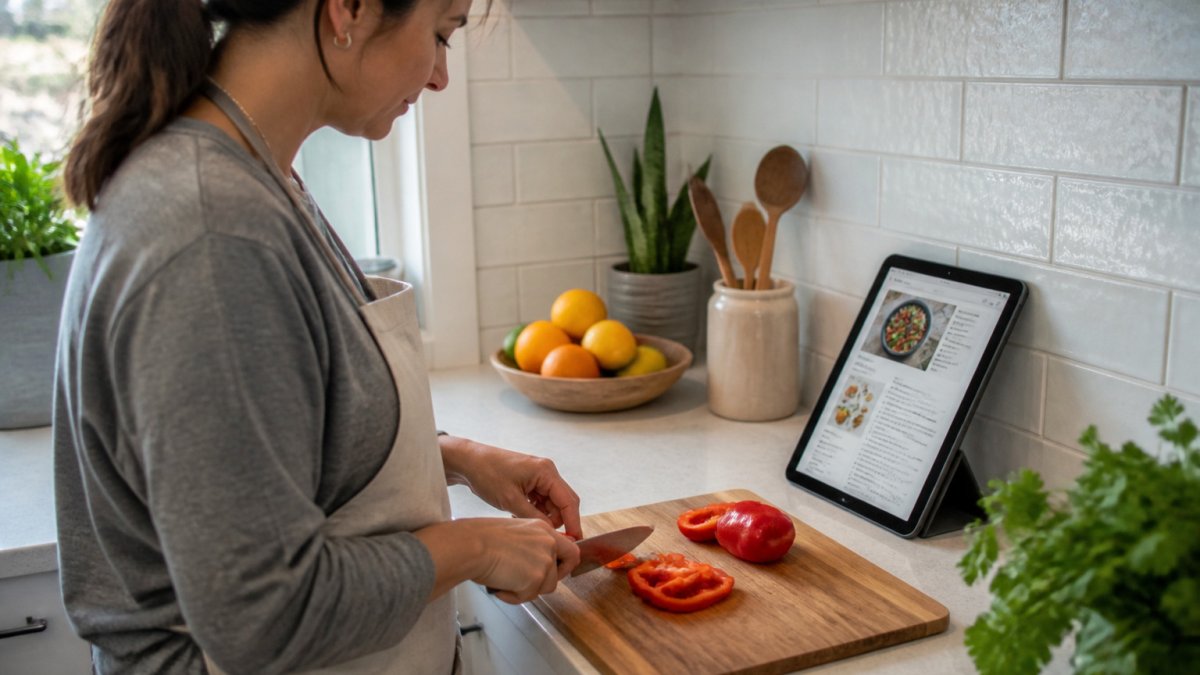
Prop your phone or tablet at eye level. A stand or a tilted cookbook holder works well. Place it where you can see it from the counter without leaning over the cutting board.
Placement, Glare, and Viewing Distance
Keep the screen away from direct sunlight and bright overhead lights. Glare hides the text, especially on glossy screens.
- Place the device about an arm's length away
- Turn the screen away from windows
- Raise the brightness a little, then lower it if the steam starts to fog it up
Hold the device at the distance you would hold a book. If you squint, make the text bigger in your browser settings.
Keeping the Screen Awake
Many phones dim and lock after about a minute of no touching, which makes online recipes readable only until the screen goes dark. That is annoying when you are stirring a pot.
Look for a "keep screen on" or "stay awake" setting in your device options. Turn it on only while you cook, then turn it off afterward to save battery.
How to Save Recipes from Websites Without the Clutter
Saving a recipe is the first step to making it readable later. A clean saved copy beats a messy web page every time.
Linkplate captures recipes from YouTube, Instagram, and food blogs, and turns them into a clean, single collection. It is designed to keep the recipe you open in the kitchen free of clutter.
Check the saved copy before you cook. Make sure every ingredient and step came through. If something is missing, copy it in by hand now rather than during dinner prep.
Organize Recipes Digitally So You Can Find Them Fast
A recipe you cannot find is no help at dinnertime. A simple system keeps your saved recipes easy to reach.
Founders limited offer is open now →
- Use categories like "Weeknight dinners," "Baking," or "Meal prep"
- Add tags for things like "vegetarian," "under 30 minutes," or "kid-friendly"
- Name each recipe clearly so the title says what the dish is
Search is the fastest way to pull up a recipe when your hands are busy. Type a main ingredient and scan the results instead of scrolling a long list.
Use Hands-Free and Low-Contact Controls While Cooking
Raw chicken and touchscreens do not mix. The goal is to move through steps without touching the screen with messy hands, and that means setting up controls before you start.
Voice control that actually works in a kitchen
Most phones and tablets have a built-in voice assistant, but it will not scroll a web page or tap a button inside an app unless you use the right commands. On iPhone, turn on Voice Control in Settings > Accessibility > Voice Control, then say "Scroll down" or "Tap Next" to move through a recipe. On Android, open Google Assistant and use commands like "Scroll down" or "Open [app name]", but expect mixed results inside third-party recipe apps, since many do not expose their buttons to voice control.
A more reliable pattern is to use a recipe app that builds in large next/previous step buttons and supports swipe gestures, then pair it with a voice command that only needs to say "Next." Test the exact phrase before you cook, not while the oil is smoking.
Physical controls that keep hands clean
- Bluetooth remote or media button: A cheap camera shutter remote or a media remote can trigger next/previous in some recipe apps and e-readers. Check that your app responds to volume or arrow key presses.
- Foot pedal: USB foot pedals work with tablets and computers and can be mapped to arrow keys or page down. They are popular with musicians and are equally useful at the counter.
- Stylus: A capacitive stylus lets you tap without transferring grease. Keep it in a cup next to the stove and wipe it after each use.
- Screen protector or clear sleeve: A wipeable screen protector or a clear plastic sleeve over the device means a quick swipe does not leave a mess. Remove the sleeve before the device gets hot.
Low-contact habits that cost nothing
- Use the back of your knuckle or a clean knuckle to tap instead of a fingertip.
- Keep a damp cloth and a dry towel within reach, and wipe your hands before any screen touch.
- If you are following a long recipe, ask someone else in the kitchen to advance the step for you, a second pair of clean hands is the original hands-free control.
Pick a Recipe App for Cooking That Keeps Steps Readable
The best recipe app for cooking is the one that shows each step clearly with large text, keeps the screen awake, and does not cover the instructions with ads. That is a different standard from the best app for collecting recipes.
What to test before you commit
Open a recipe in the app and run this five-minute check at your counter:
- Text size: Can you read the ingredients and steps from an arm's length away without squinting? If not, look for an in-app text size setting or use your device's display zoom.
- Step isolation: Does the app show one step at a time, or a long scroll? One-step-at-a-time views reduce lost place, but some cooks prefer to see the whole method.
- Screen timeout: Does the app keep the screen awake, or does it dim after a minute? If it dims, you will need to change your device setting separately.
- Ad and pop-up behavior: Scroll through the full recipe and watch for banners, newsletter pop-ups, or video players that cover the steps. A clean saved copy should have none.
- Hands-free support: Does the app respond to voice commands, a Bluetooth remote, or arrow keys? Test the exact control you plan to use.
Feature comparison that matters at the stove
| Feature | Why it matters while cooking |
|---|---|
| Clean recipe layout | Steps are easy to read at a glance |
| No ads or pop-ups | Nothing covers the instructions |
| Adjustable text size | You can read it from across the counter |
| Keeps the screen awake | The page stays visible while you work |
| Step check-off | You do not lose your place mid-recipe |
| Grocery list export | Shopping is faster before you cook |
A practical shortlist
- Paprika: A long-standing recipe manager that saves recipes from websites, scales ingredients, and keeps the screen awake during cooking. It is a paid app, and its interface is more utilitarian than polished.
- AnyList: Strong for grocery lists and meal planning, with recipe import and a clean cooking view. The recipe readability features are good but less focused on step-by-step cooking than Paprika.
- Samsung Food (formerly Whisk): Free, saves recipes from websites and social media, and includes a cooking mode with large steps. Ad-supported in some views, so check the cooking screen before you rely on it.
- Linkplate: Saves recipes from TikTok, Reels, YouTube, Pinterest, food blogs, photos, and typed notes, keeps the ingredients and steps, and strips out ads and pop-ups. It is a good fit if your recipes come mainly from social media and blogs.
If you only cook from one or two cookbooks, a simpler app or even a saved document may be enough. The right choice is the one that keeps the steps readable when your hands are full.
Read Recipes While Cooking Without Losing Your Place
Losing your place is a common kitchen frustration. A few habits can help.
Keep a note of the step you are on. If your app lets you tick off steps as you finish them, that can help you avoid missing one. Otherwise, use a finger or a timer to mark where you are.
Read each step fully before you start it. This is the best way to avoid surprises like a missing ingredient or a long rest time you forgot about.
Frequently Asked Questions
What is the best way to keep recipes electronically?
Save each recipe into one app or a single folder system instead of scattering bookmarks, screenshots, and notes across devices. Use a recipe app that stores the cleaned ingredient list and steps together, so you can open one entry while cooking. Keep the collection organized with categories or tags, and check that it syncs across the phone or tablet you use in the kitchen. Consolidating in one place makes retrieval faster and reduces the chance of losing a recipe.
How can I make an online recipe easier to read while cooking?
Increase the text size in your browser or use a reader view that strips out ads and long stories. Prop the device at eye level away from the stove and sink, and angle it to reduce glare from overhead lights. Turn on the setting that keeps the screen awake so the recipe does not dim mid-step. Saving the recipe into a clean layout also helps, since it removes the distractions that bury the ingredient list.
How do I save a recipe from a food blog without the extra clutter?
Use a recipe saver or web clipper that pulls only the title, ingredients, and method from the page. Most clippers strip out the life story, pop-ups, and repeated ads that make blog pages hard to scroll with messy hands. After saving, check that quantities and steps copied correctly, since some blogs format ingredients in unusual ways. Once clipped, the recipe lives in your collection as a short, readable entry.
How can I keep my place in a recipe while cooking?
Break the recipe into its method steps and tap or check off each one as you finish it. Keep the device on the same screen and avoid switching tabs, which can reset your scroll position. If the app supports step-by-step view, use it so only the current step is on screen. Note any step with a timer next to it so you can return to the right point after a pause.
Start with a single recipe, set up your screen, and see how it feels at the stove. Linkplate can turn your saved recipes into a clean, readable collection you can use every night, with its grocery list feature built in.

What should I read next?
- 7 Meal Planning Steps for One Person That Cut Food Waste · 12 min read
- How Do You Calculate Nutrition From Instagram Recipes? · 15 min read
- How to Search Recipes I Have Saved · 12 min read
- Best Way to Organize Bookmarks: A Practical 2026 Guide · 14 min read
Or browse every post.
Questions or ideas for a post? Get in touch →