
How to Search Recipes I Have Saved
Last Updated: October 26, 2026
Quick Summary
How to search recipes I have saved depends on where you saved them. Most people save recipes across multiple platforms like Pinterest, Chrome bookmarks, Google Keep, and Instagram without realizing each requires a different search method. Consolidating your saves into one recipe organizer app lets you search your entire collection by ingredient, tag, or cook time in one place.
- Google stores saved recipes across four separate surfaces: Chrome bookmarks, Google app Saved lists, Google Keep, and Google Photos, each requiring different search steps.
- Search inside your saved or collection view, not the platform's public search bar, to find recipes you've saved.
- Tag recipes with one ingredient and one constraint tag at save time to make future searches work.
- Most people fail at finding saved recipes because they save across multiple platforms without a system or consistent tags.
- A recipe organizer app captures recipes from YouTube, Instagram, and food blogs into one searchable collection.
Table of Contents
- Where Your Saved Recipes Actually Live
- Where to Find Saved Recipes in Google
- Searching Saved Recipes by Ingredient
- Using a Recipe Organizer App to Search Your Collection
- Organizing and Filtering Saved Recipes Across Platforms
- Troubleshooting Missing or Lost Saved Recipes
- Start Building Your Personal Recipe Collection Today
- Frequently Asked Questions
Where Your Saved Recipes Actually Live
Understanding how to search recipes I have saved starts with knowing where you actually saved it. Most people save recipes in three or four different places without thinking about it. Your Pinterest board has some.
This scattered approach is the real problem. You're not searching for recipes, you're searching for where you put them.
The solution starts simple: take inventory. Did you save it to a platform like Pinterest or Pocket? Did you email it to yourself? Is it in a dedicated recipe app? Did you just take a screenshot?
At Linkplate, we help people consolidate recipes from all these scattered sources into one organized collection. Instead of hunting across five apps, you search one place.
Where to Find Saved Recipes in Google
Google is not one save location, it is several, and each one stores recipes differently.
1. Chrome bookmarks (desktop and mobile)
If you bookmarked a recipe page while browsing, it lives in Chrome's bookmark manager, not in your Google account's saved items.
- On desktop: open Chrome, press Ctrl+Shift+O (Windows) or Cmd+Option+B (Mac) to open the Bookmark Manager, then use the search box at the top right to type a recipe name or ingredient.
- On mobile: tap the three-dot menu, choose Bookmarks, then use the search field. If you filed recipes in a folder named "Recipes," open that folder first to narrow results.
- Bookmarks sync only if you are signed into Chrome with the same Google account on each device. If a recipe is missing on your phone but present on your laptop, check chrome://settings/syncSetup on both devices.
2. Google app "Saved" lists
- In the Google app: tap your profile picture, then Saved. You will see collections such as "Recipes," "Want to try," or any custom list you created.
- On the web: go to google.com/save while signed in, or open the Google app's Saved tab.
- Search within Saved by tapping the search icon inside a collection and typing an ingredient or dish name. This searches only items in that collection, which is faster than scrolling.
3. Google Keep
Many people paste recipe links or screenshots into Google Keep notes.
4. Google Photos (for screenshots)
If you screenshot a recipe instead of saving the link, it is in Google Photos, not in any recipe collection.
Why this matters for recipe searchers
If you routinely save from Search, Discover, and Lens, consolidating those saves into one recipe organizer removes the guesswork.
Google stores saved recipes across four separate surfaces, each requiring different search steps.
| Google Surface | How to Access | Search Method |
|---|---|---|
| Chrome bookmarks | Ctrl+Shift+O (Windows) or Cmd+Option+B (Mac) | Search box in Bookmark Manager |
| Google app Saved lists | Tap profile picture, then Saved | Search icon inside collection |
| Google Keep | keep.google.com or Keep app | Search bar at top; searches titles, body text, labels |
| Google Photos | Open Google Photos, tap Search | Search by recipe, food, or dish name using image recognition |
Searching Saved Recipes by Ingredient
Step 1: Find the search box that scopes to your saves
On most platforms, the main search bar returns public results. Look instead for a search field inside the saved, favorites, or collection view:
- Pinterest: open your profile, tap Saved, open a board, then use the search icon inside the board. This searches only that board's pins.
- Instagram: open Saved (profile menu → Saved), then use the search icon at the top of a collection. This searches only saved posts in that collection.
- Recipe apps and organizers: the search bar inside "My Recipes" or "Collection" scopes to your saves; the home-screen search usually does not.
- Browser bookmarks: the Bookmark Manager search box (Ctrl+Shift+O) searches bookmark titles and URLs only.
If you cannot find a scoped search, the platform does not offer one, you will need to browse or move those recipes to a tool that does.
Step 2: Search by the words that actually appear in saved recipes
Saved-recipe search matches titles, descriptions, and tags, not the full recipe text on most platforms. That means ingredient searches work best when the ingredient is in the title ("Lemon Chicken Thighs") or in a tag you added. Practical keyword patterns:
- Main ingredient plus cut: "chicken thighs," "ground beef," "salmon fillet", more specific than "chicken."
- Dish plus cuisine: "Thai curry," "sheet-pan dinner," "one-pot pasta."
- Constraint words you tagged: "under 30," "weeknight," "freezer," "meal prep."
If a search returns nothing, try the ingredient alone, then a synonym ("aubergine" vs "eggplant"), then a broader category ("poultry").
Step 3: Filter and sort to narrow the list
Once you have results, most recipe apps and organizers let you filter by cook time, dietary tag, or cuisine, and sort by date saved or rating.
Step 4: Tag at save time so future searches work
Ingredient search only works if the ingredient is findable.
The most common failure is searching the platform's public search bar and concluding the recipe is lost. Always confirm you are searching inside your saved or collection view before assuming a recipe is gone. ::: Organizing these digital finds into printable cookbooks ensures that your favorite instructions remain accessible even when you prefer to step away from the screen.
When your saves are spread across platforms
If your chicken recipes live in Pinterest, Instagram, a notes app, and three food blogs, no single search box can find them all, you will search each platform separately, and each has different keyword behavior. That is the specific gap a recipe organizer fills: it imports saves from multiple sources into one collection where a single ingredient search, filter, and tag system applies. Linkplate captures recipes from YouTube, Instagram, and food blogs, normalizes the titles and ingredients, and lets you search your entire collection by ingredient, tag, or cook time in one place, so "chicken under 30 minutes" returns every saved match regardless of where it originally came from.
Founders limited offer is open now →
Using a Recipe Organizer App to Search Your Collection
A recipe organizer app pulls recipes from YouTube, Instagram, food blogs, and recipe sites into one searchable collection. Instead of managing five different saved lists, you manage one.
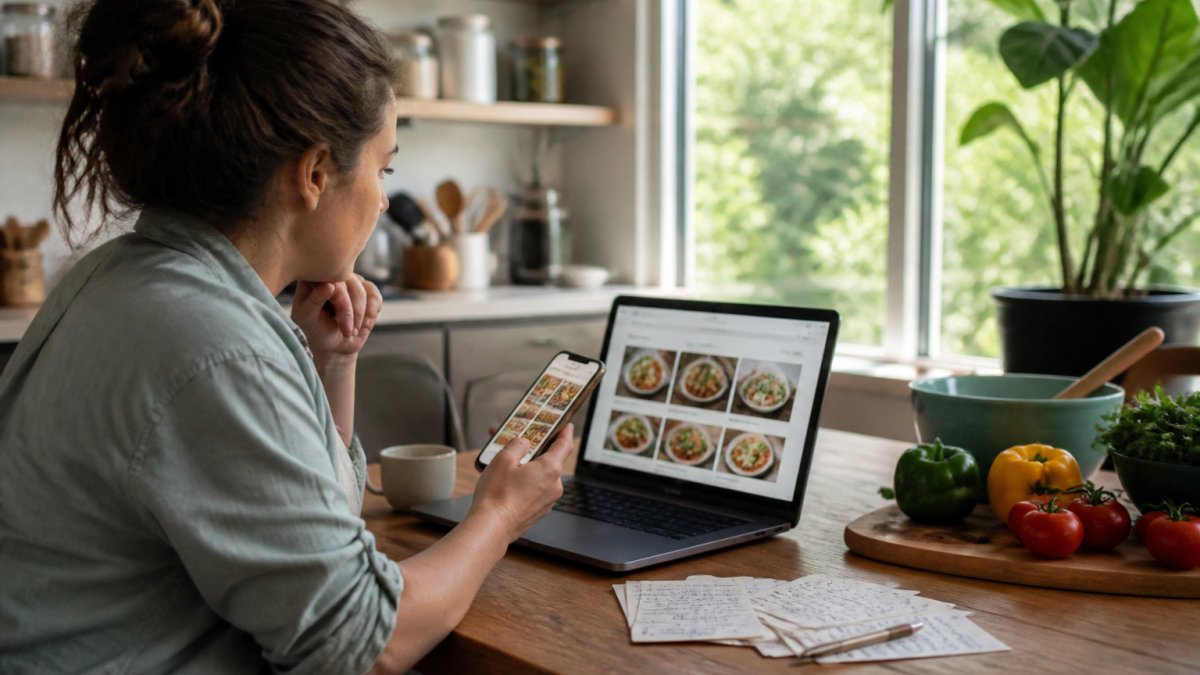
The real benefit shows up when you search.
The best apps let you tag recipes as you save them. Explore the best digital recipe organizers for families to find the right tool for your needs.
Linkplate captures recipes from YouTube, Instagram, and food blogs, cleans up the formatting, and stores them in one organized collection. You search once.
Recipe organization best practices from food bloggers show that centralized storage saves an average person hours each month.
Consider whether a recipe app is worth it for your situation.
Organizing and Filtering Saved Recipes Across Platforms
Organization is where most people fail. They save dozens of recipes but never tag or categorize them. Then searching becomes impossible.
The fix requires a system. Create folders or tags before you save recipes. Use consistent naming.
Common organization systems:
- By meal type (breakfast, lunch, dinner, dessert)
- By cooking time (under 30 minutes, under 1 hour, weekend projects)
- By dietary focus (vegetarian, keto, high-protein, budget-friendly)
- By cuisine (Italian, Asian, Mexican, Mediterranean)
- By occasion (weeknight, entertaining, holidays, special diets)
Pick three to five categories that match how you actually cook. Don't overcomplicate it.
When you save a recipe, tag it immediately. Don't save fifty recipes and tag them later, you won't. The moment you save something, add one or two tags.
For recipes saved across platforms, you need a tool that brings them together. Learn the best way to store recipes to establish a system that works for your household. Digital recipe management guides recommend consolidating recipes into one app rather than managing multiple platforms.
Linkplate lets you organize recipes from different sources into a single searchable collection. You tag as you save. You search by tag. You find what you need in seconds.
Troubleshooting Missing or Lost Saved Recipes
Sometimes a recipe disappears. The food blogger deleted their site. The Instagram account went private. The YouTube video was removed.
If a recipe is missing:
First, check if it's still accessible. Try opening the original link.
Second, search your email. Did you email yourself the recipe? Check your inbox and spam folder.
Third, check your device's screenshot folder. Learn how to organize saved Instagram recipes if you frequently save recipes from that platform.
Fourth, try searching your browser history. If you viewed the recipe recently, it might still be in your history.
If none of that works, the recipe is likely gone. This is why consolidating recipes into a dedicated app matters.
Prevention strategies:
- Save recipes to a dedicated app rather than just bookmarking
- Screenshot recipes as backup (store in a dedicated folder)
- Email yourself copies of recipes you really love
- Use a recipe app that stores cleaned copies of recipes
Data backup best practices for digital collections emphasize maintaining copies in multiple locations. The same applies to recipes.
Start Building Your Personal Recipe Collection Today
Finding recipes you've saved gets easier when you have a system. Stop searching across five different apps. Stop digging through screenshots and browser bookmarks. Stop losing recipes when sites disappear.
The solution is consolidating your recipes into one organized collection. You capture recipes from YouTube, Instagram, food blogs, and recipe sites. You tag them as you save. You search once and get results.
Linkplate turns scattered recipe saves into a searchable personal cookbook. You save from any platform. You organize by tags that match how you cook. You convert your collection into grocery lists. The founders have a limited offer open now if you're ready to simplify how you find and use recipes.
Frequently Asked Questions
Where can I find my saved recipes in Google?
Google saves recipes through Google Keep and your browser bookmarks. Open Google Keep in your web browser or mobile app and search your saved recipe notes. For bookmarked recipes, click the bookmark icon in your browser toolbar and search by recipe name or website. Google also displays saved recipes in Google Search if you've bookmarked them, search the recipe name and your saved version may appear at the top of results.
Can I search saved recipes by ingredient?
Most recipe apps and organizers let you filter by ingredient, but the method varies. In Pinterest, use the search bar within your saved collections and type ingredients. In recipe organizer apps, look for filter or tag options to narrow by dietary needs or specific ingredients. For recipes saved across multiple platforms, a centralized recipe organizer app consolidates everything and allows you to search by ingredient across your entire collection at once.
What's the difference between a recipe organizer app and just saving bookmarks?
Bookmarks scatter recipes across browser folders and apps, making them hard to search and organize. A recipe organizer app pulls recipes from multiple sources (YouTube, Instagram, food blogs) into one searchable collection with features like ingredient filtering, meal planning, and grocery list generation. It eliminates clutter and saves time by centralizing everything in one place instead of hunting through scattered bookmarks.
How do I organize recipes saved from different websites and apps?
The easiest approach is using a recipe organizer app that syncs across platforms. You can create collections or folders by meal type, dietary requirement, or cooking method. Tag recipes with keywords like 'quick weeknight' or 'vegetarian' to make them searchable later. Some apps let you sort by prep time or ingredients, making it simple to find the right recipe when you're planning meals or grocery shopping.
| Search Method | Best For | Time to Find |
|---|---|---|
| Browser bookmarks | Quick reference | 2-3 minutes |
| Pinterest boards | Visual browsing | 3-5 minutes |
| Notes app | Text recipes | 1-2 minutes |
| Dedicated recipe app | Organized collection | 30 seconds |
| Consolidated organizer | Cross-platform search | 10-20 seconds |

What should I read next?
- How Do You Calculate Nutrition From Instagram Recipes? · 15 min read
- Best Way to Organize Bookmarks: A Practical 2026 Guide · 14 min read
- Create Grocery List From Recipes: A Complete 2026 Guide · 14 min read
- Best Way to Save TikTok Recipes: A Complete Guide · 14 min read
Or browse every post.
Questions or ideas for a post? Get in touch →