
Best Way to Save TikTok Recipes: A Complete Guide
Table of Contents
- Why Saving TikTok Recipes Matters
- How to Save Recipes from TikTok Using Built-In Features
- Managing Your TikTok Saved Recipes Collection
- Apps to Save Recipes from TikTok Beyond Built-In Storage
- How to Turn Saved Recipes into a Grocery List
- Complete Workflow: From Discovery to Cooking
- Common Mistakes to Avoid When Saving Recipes
- Conclusion
- Frequently Asked Questions
Last Updated: October 19, 2026
Why Saving TikTok Recipes Matters
TikTok has become a goldmine for home cooks. The platform overflows with quick meal ideas, creative cooking techniques, and trending recipes that catch your eye. But here's the problem: TikTok videos disappear from your feed within seconds. You scroll past a recipe that looks perfect, and by tomorrow, you've forgotten it completely.
The best way to save TikTok recipes is to use a combination of TikTok's built-in save feature and a dedicated recipe app. This two-step approach ensures you can find recipes later and actually cook them. Without a system, saved recipes scatter across your phone, mixing with other bookmarks and links.
At Linkplate, we've seen how frustrating this becomes. Users save recipes constantly but struggle to locate them later or extract the actual ingredients and instructions. The solution isn't complicated, it just requires knowing the right tools and workflow.
How to Save Recipes from TikTok Using Built-In Features
TikTok includes a native save function that works on both iOS and Android. This is your first line of defense for capturing recipes you want to keep.
Using the Save Icon
Open any TikTok recipe video. Look for the bookmark icon on the right side of the screen. It's a simple outline of a bookmark, easy to spot. Tap it once, and the video is saved to your private collection.
The save icon appears on every video. You don't need to follow the creator or like the video. A simple tap saves it instantly. This happens silently with no notification to the video creator.
Saved videos stay in TikTok indefinitely, as long as the original video isn't deleted by the creator. If the creator removes the video, your saved copy disappears too. This is why relying only on TikTok's save feature isn't enough for recipes you plan to cook regularly.
Accessing Your TikTok Saved Recipes
Finding your saved videos takes two taps. Open TikTok and go to your profile. Tap the three-line menu icon in the top right corner. Select "Saved Videos" from the menu.
Your saved videos appear in a grid layout. Scroll through to find the recipe you want. The list shows newest saves first, so recent saves appear at the top.
TikTok doesn't organize saved videos by category. Every save goes into one long list. If you've saved 200 videos, finding a specific recipe becomes tedious. This is where the limitation of TikTok's built-in system becomes obvious.
Managing Your TikTok Saved Recipes Collection
Once you've saved recipes, you need a way to organize them. TikTok's system stores everything in one pile. A better approach involves moving recipes to a dedicated app where you can tag, organize, and actually use them.
Creating Collections and Tags
Recipe apps let you create folders or collections for different meal types. You might create a "Quick Weeknight Dinners" folder, a "Desserts" folder, and a "Vegetarian" folder. This organization system transforms your saved recipes from a random list into a usable cookbook.
Tags work similarly. Instead of folders, you add labels like "gluten-free," "under 30 minutes," or "family favorites." Search for a tag, and all matching recipes appear instantly. Tags are faster than folders when you're deciding what to cook.
Many recipe apps let you add notes to recipes. You might write "Kids loved this" or "Use honey instead of sugar." These personal notes help you remember why you saved a recipe and what adjustments worked for your family.
When Recipes Lack Written Instructions
Some TikTok recipes show only video demonstrations. The creator never lists ingredients in text form. You watch the video, try to remember what you saw, and hope you got it right.
When this happens, you have two choices. First, you can pause the video repeatedly and write down ingredients as they appear on screen. This takes time but works. Second, you can use a recipe app that extracts text from videos automatically. Apps like Linkplate capture video content and convert it into readable recipe format with organized ingredient lists and step-by-step instructions.
The extraction process isn't perfect. If a recipe is purely visual with no spoken ingredient list, the app might miss some items. Always watch the original video again before cooking to verify you have everything.
Apps to Save Recipes from TikTok Beyond Built-In Storage
Several apps specialize in capturing and organizing recipes from social media. Each takes a different approach.
Linkplate: Centralized Recipe Organization and Grocery Lists
Linkplate captures recipes from YouTube, Instagram, TikTok, and food blogs. The app cleans up recipe content automatically, removing ads and clutter. You get a clear ingredient list and instructions formatted for easy reading.
Beyond simple storage, Linkplate enhances your culinary workflow by allowing you to convert your saved recipes directly into a convenient grocery list. Select multiple recipes, and Linkplate combines their ingredients into one organized list. Duplicate ingredients merge automatically, so you don't buy milk twice.
The app organizes recipes into collections. Create folders for different meal types or dietary needs. Search across all your saved recipes instantly. This turns scattered social media discoveries into a functional personal cookbook.
Other Recipe-Saving Apps Worth Considering
Flavorish offers a free plan with core features included. The free version is ad-free, and core recipe features stay free forever. A paid Premium plan unlocks additional features. The app works with recipes from multiple platforms.
Peel focuses on iPhone users. It integrates with your iOS share sheet, letting you save recipes directly from TikTok, Instagram, YouTube, and Pinterest. The share sheet approach is faster than opening a separate app.
ReciBites combines recipes from video, web, and paper sources. If you clip recipes from multiple places, some from TikTok videos, some from websites, some from printed magazines, ReciBites keeps them all together. One unified library for all your recipe sources.
Samsung Food appears in roundups of social media recipe apps. It handles recipes from Facebook, YouTube, Instagram, and TikTok. The app provides recipe organization and meal planning features.
| App | Best For | Free Plan | Approach |
|---|---|---|---|
| Linkplate | Grocery lists from recipes | No | Captures, cleans, organizes, converts to shopping lists |
| Flavorish | Free recipe saving | Yes, ad-free | Multi-platform recipe capture with optional Premium |
| Peel | iPhone users | No | Share sheet integration for fast saving |
| ReciBites | Mixed recipe sources | No | Combines video, web, and paper recipes |
| Samsung Food | Multi-platform saving | No | Saves from TikTok, Instagram, YouTube, Facebook |
How to Turn Saved Recipes into a Grocery List
Converting saved recipes into a grocery list is where meal planning becomes efficient. Instead of reading each recipe and manually writing down ingredients, let the app do it for you.
Founders limited offer is open now →
Manual Grocery List Creation
Open your saved recipes and read through the ingredients. Write them on paper or in a notes app. Group similar items together, all produce in one section, all proteins in another. Check your pantry for items you already have. Cross those off your list.
This method works but takes time. For five recipes, you're writing 30-40 ingredients. For ten recipes, you're writing 80+ items. The process is slow and prone to mistakes.
Automated Grocery List Generation
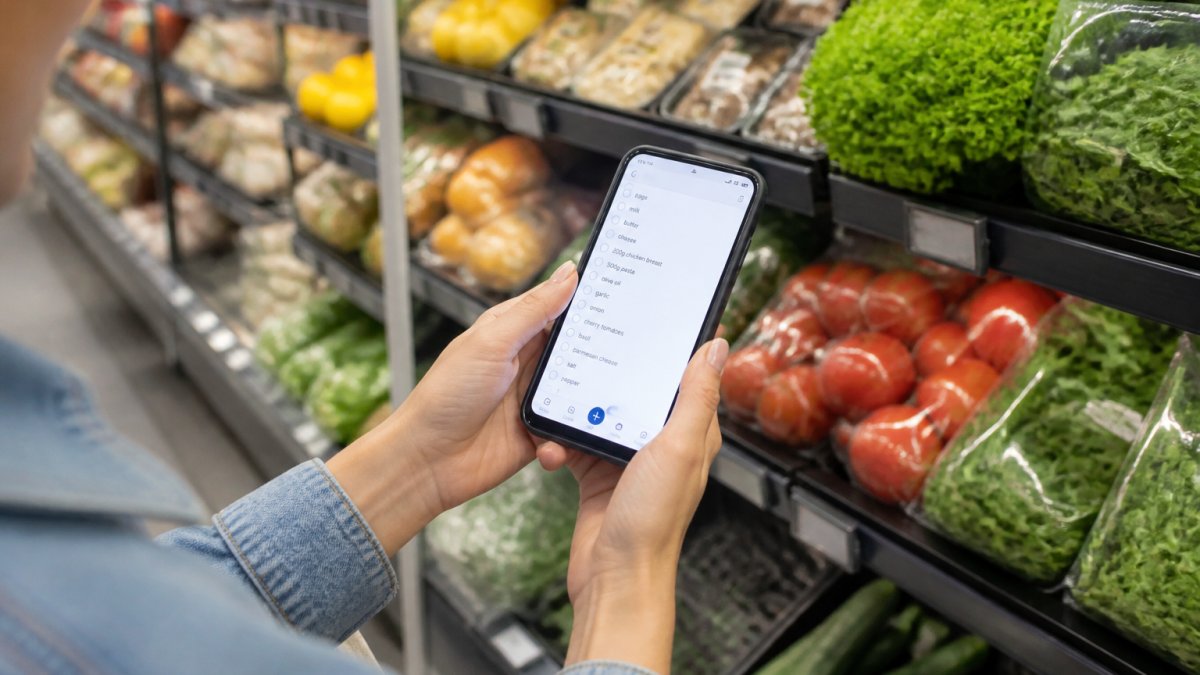
Apps like Linkplate automate this completely. Select the recipes you plan to cook this week. The app pulls all ingredients from each recipe. Duplicate ingredients merge, if two recipes call for onions, the list shows onions once with a combined quantity.
The list organizes by category automatically. All produce groups together. All dairy groups together. You move through the store following the organized list, grabbing items in order. Shopping becomes faster.
Complete Workflow: From Discovery to Cooking
A complete workflow takes you from seeing a recipe on TikTok to having groceries at home and cooking the meal.
Step 1: Save the Recipe Immediately When you see a TikTok recipe that interests you, save it right away.
Step 3: Organize and Tag Add the recipe to a collection.
Step 4: Plan Your Week Decide which saved recipes you'll cook this week. Most people plan 4-5 dinners weekly.
Step 5: Generate Your Grocery List Use the app's grocery list feature to combine ingredients from all planned recipes.
Step 6: Shop Take your organized list to the store. Follow the category organization. Shop efficiently without backtracking or forgetting items.
Step 7: Cook Open the recipe on your phone or tablet while cooking. Follow the cleaned-up instructions.
Common Mistakes to Avoid When Saving Recipes
Most people save recipes chaotically and never cook them. Knowing what goes wrong helps you avoid these traps.
Saving Without a System People save recipes but never organize them.
Fix this by choosing one app immediately and saving all recipes there.
Ignoring Visual-Only Recipes Some TikTok recipes show only video with no ingredient list.
Always watch visual recipes completely before saving.
Not Checking Ingredient Availability You save a recipe that calls for specialty ingredients you can't find locally.
Before saving a recipe, scan the ingredients. If most items are common, save it.
Saving Too Many Recipes Saving 300 recipes creates decision paralysis. When you open your recipe app, you feel overwhelmed.
Be selective. Save recipes you'll actually cook within the next month. Delete recipes that no longer appeal to you.
Tag recipes with dietary information immediately. Mark them "contains nuts," "dairy-free," "gluten-free," etc.
Conclusion
The best way to save TikTok recipes combines TikTok's built-in save feature with a dedicated recipe app. Save recipes immediately when you see them, organize them in an app like Linkplate, and convert them into grocery lists before shopping. This workflow transforms TikTok from a source of forgotten recipe ideas into a functional meal planning system. Linkplate makes this process simple by capturing recipes from TikTok and other platforms, cleaning up the content, and generating organized grocery lists from your saved recipes. Start with TikTok's bookmark feature today, then move your best discoveries into a proper recipe app where you'll actually cook them.
Frequently Asked Questions
How do I save a recipe from a TikTok video?
Open the TikTok video with the recipe you want to save. Tap the bookmark icon (shaped like a flag) on the right side of the screen. The video is now saved to your collection. You can access saved recipes by going to your profile, selecting the bookmark tab, and browsing your saved videos. This built-in method works for any TikTok video and requires no additional apps.
What's the best way to save TikTok recipes if they lack written ingredients?
If a recipe video shows only visual instructions without a written ingredient list, screenshot the video, take notes while watching, or use a recipe-saving app like Linkplate. For quick reference, pause the video at key moments and write down ingredients as they appear. Some apps allow you to manually add missing ingredients and save the complete recipe in a readable format for later cooking.
Can I turn saved recipes into a grocery list automatically?
Yes, if you use a dedicated recipe app like Linkplate that integrates grocery list generation. You save your recipes to the app, and it extracts ingredients and quantities, then converts them into an organized shopping list. For built-in TikTok saves alone, you'll need to manually create a grocery list by copying ingredients from your saved videos. Automated conversion saves time, especially when juggling multiple recipes for meal planning.
What happens to my saved TikTok recipes if the original video is deleted?
If a creator deletes the original TikTok video, your saved copy remains in your bookmarks, but the video may display as unavailable or deleted. To protect recipes you love, export or screenshot them, or save them to a dedicated recipe app like Linkplate where the content is stored independently. This ensures you keep access to recipes even if the original video disappears from TikTok.
Questions or ideas for a post? Get in touch →