
Organize Recipes by Dietary Restrictions: A 2026 Guide
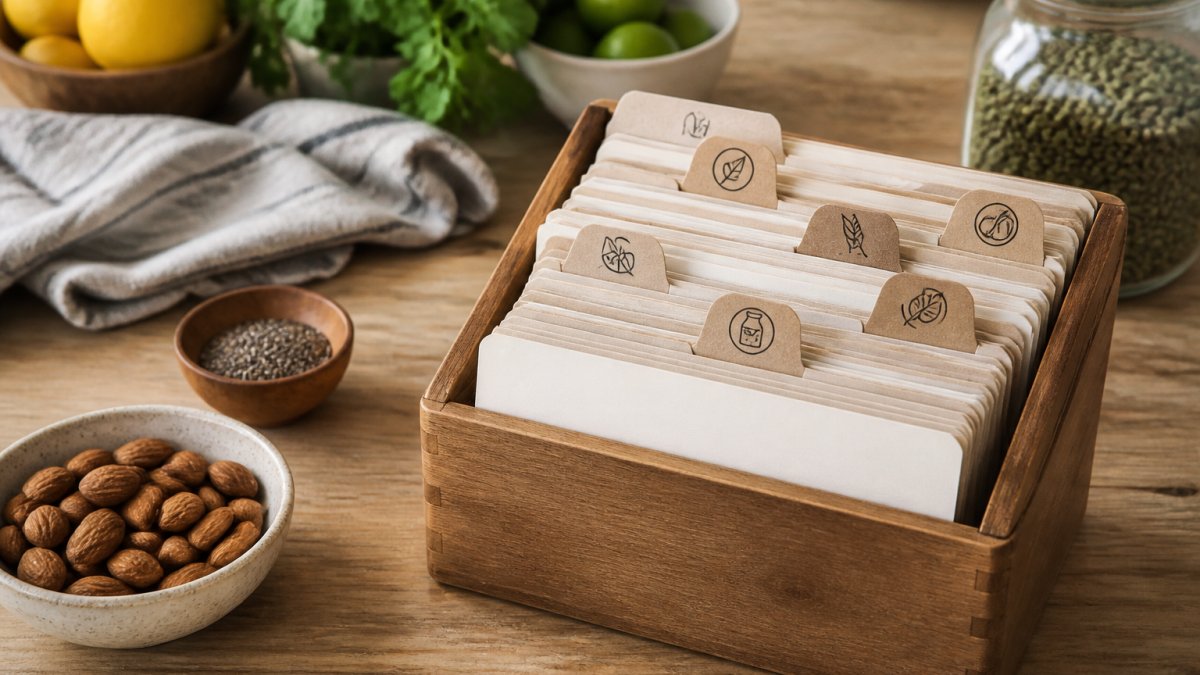
Table of Contents
- Why Organizing Recipes by Dietary Restrictions Matters
- Step 1: Audit Your Current Recipe Collection
- Step 2: Create a Comprehensive Dietary Tagging System
- Step 3: Sort Recipes Using Your Tags
- Meal Planning for Different Diets in Your Collection
- Using a Digital Recipe Organizer for Dietary Needs
- Converting Organized Recipes Into a Grocery List
- Handling Multiple and Conflicting Dietary Needs
- Frequently Asked Questions
Last Updated: October 17, 2026
Why Organizing Recipes by Dietary Restrictions Matters
Managing recipes across multiple dietary needs is a real problem, which is why learning to organize recipes by dietary restrictions matters.
Organizing recipes by dietary restrictions solves this. Tag recipes by what they accommodate or exclude, and gluten-free recipes cluster together, dairy-free options become instantly findable, and recipes safe for multiple dietary approaches become your weeknight go-tos.
The real benefit is speed: filter 200 saved recipes down to the 20 that match your needs, and meal planning gets easier.
Properly tagged recipes convert into a grocery list automatically.
Step 1: Audit Your Current Recipe Collection
Start by gathering everything. Check:
- Pinterest boards and pins
- Instagram saved posts
- TikTok video links
Next, mark the recipes your family returns to again and again, these are keepers. The ones you saved but never made can wait.

The audit saves hours later by showing exactly what you're working with.
Step 2: Create a Comprehensive Dietary Tagging System
Most guides tell you to "add tags." That breaks down when a recipe is gluten-free but not celiac-safe. A useful system separates why a recipe fits from what it contains, in four layers.
Layer 1: Restriction type (the safety layer)
Every tag should declare its category so you know how strictly to treat it:
- Allergy, immune-mediated; treat as absolute. Examples: peanut, tree nut, shellfish, egg, milk, soy, wheat, sesame, fish.
- Intolerance or sensitivity, dose-dependent; small amounts may be tolerable. Examples: lactose, non-celiac gluten sensitivity, low FODMAP, histamine.
- Medical diet, prescribed or clinically managed. Examples: celiac disease (strict gluten-free), diabetic-friendly, renal, low-sodium, texture-modified.
Why this matters: a "gluten-free" tag on an oat recipe may suit a preference but not celiac disease, due to cross-contact in milling.
Layer 2: Ingredient exclusions (the searchable layer)
Use a controlled vocabulary so tags stay consistent, "dairy-free" and "no dairy" in the same collection will fragment your search.
A workable starter list:
- Gluten-free
- Dairy-free / lactose-free (keep these separate, they are not the same)
- Nut-free (specify: peanut-free, tree-nut-free)
Tag what the recipe excludes, not what it contains. Exclusion tags are what you filter by when someone at the table has a restriction.
Layer 3: Dietary pattern (the planning layer)
These describe the eating style the recipe fits:
- Vegetarian
- Vegan
- Pescatarian
A recipe can carry several pattern tags, a lentil curry might be vegan, gluten-free, dairy-free, budget-friendly, and freezer-friendly.
Layer 4: Safety flags (the verification layer)
This is the layer most collections skip, and it is the one that prevents mistakes:
- Celiac-safe, only apply after verifying every ingredient (including sauces, stock, and oats) is certified gluten-free and cross-contact is controlled.
- Cross-contact risk, flag recipes that use shared fryers, bulk bins, or facility-processed ingredients.
- Needs label check, flag recipes whose safety depends on a specific packaged product (e.g., a particular curry paste or broth).
A worked example
Take a chickpea and spinach curry. Your tag set might look like:
- Exclusions: gluten-free, dairy-free, nut-free, soy-free
- Pattern: vegan, vegetarian, budget-friendly, freezer-friendly
- Safety: celiac-safe (only if the curry paste and stock are verified), needs label check (curry paste brand)
Now it surfaces when you filter for vegan, gluten-free, or freezer-friendly, and the safety flags show whether it suits a celiac household member.
Keep the taxonomy small enough to use
Start with your household's actual restrictions plus the pattern tags you plan by, and merge duplicates every few months, consistency beats completeness.
Step 3: Sort Recipes Using Your Tags
Now organize recipes by dietary restrictions by applying your tags to every recipe you kept from Step 1.
Check each recipe's ingredients and instructions against your tag list: gluten means not gluten-free, eggs mean not vegan, 45 minutes means not quick.
For Instagram Reels or TikTok recipes, read the description and comments, people often mention dietary info there.
Group recipes by their primary tag first:
- All gluten-free recipes together
- All vegetarian recipes together
- All under-30-minute recipes together
Then apply secondary tags. A gluten-free vegetarian pasta dish gets both tags. A 15-minute dairy-free stir-fry gets three.
The rest are nice-to-have options.
Meal Planning for Different Diets in Your Collection
Meal planning works differently when you have multiple dietary needs in one household.
Pick a week and list who's eating what.
Example: Monday dinner needs to feed a vegetarian, someone avoiding gluten, and two people with no restrictions.
Search your tagged recipes for:
- Vegetarian AND gluten-free = one recipe everyone can eat
If no single recipe works for multiple people, pick two that share ingredients, a vegetarian pasta dish and a grilled chicken dish using the same sauce.
Founders limited offer is open now →
Your meal plan becomes a mix of:
- Recipes everyone eats (tagged for multiple dietary needs)
- Recipes for specific people (with simple sides everyone can adapt)
- Backup recipes when plans change
Writing down your weekly plan saves the daily "what's for dinner?" decision that leads to takeout.
Using a Digital Recipe Organizer for Dietary Needs
Spreadsheets work, but they're manual, every new recipe means typing it in, copying ingredients, and adding tags.
Digital recipe organizers handle this differently: paste a recipe link, the tool pulls the ingredients automatically, you add dietary tags, and the system stores it all.
Linkplate captures recipes directly from YouTube, Instagram, and food blogs: save a link, and it extracts the ingredients into your collection.
The real time-saver comes next: converting organized recipes into a grocery list.
For busy parents, this can make the difference between making a meal plan and skipping it.
Converting Organized Recipes Into a Grocery List
Once your recipes are tagged and organized, generating a grocery list should be fast.
Pick the recipes you're cooking this week.
If you're using a digital recipe organizer, you select recipes and the list generates automatically.
Grouping by store section also matters: you shop faster instead of wandering between produce and dairy three times.
Print it or use your phone, either way, the list matches what you're actually cooking, not someone else's generic meal plan.
Handling Multiple and Conflicting Dietary Needs
When one person is vegetarian, another avoids gluten, and a third has a nut allergy, the hard question isn't "what can everyone eat?" It's "which restriction wins when they conflict?" Here's a method.
Step 1: Rank restrictions by consequence, not by preference
Before you plan a single meal, write down each person's restrictions and classify them:
- Absolute (safety-critical): allergies, celiac disease, medically prescribed diets. These are non-negotiable. A trace amount can cause harm.
- Firm (health-managed): intolerances, low FODMAP, diabetic-friendly. Small deviations may be tolerable but should be minimized.
- Flexible (preference): vegetarian, vegan, keto by choice, "I don't like mushrooms." These can bend when needed.
When restrictions conflict, the absolute one wins: a nut allergy outranks a preference for Thai food. Write this ranking down and keep it with your recipe collection so anyone cooking can see it.
Step 2: Build three recipe tiers
Once restrictions are ranked, sort your tagged recipes into three tiers:
- Tier 1, Everyone-safe: recipes that meet every absolute and firm restriction in the household. These are your default weeknight meals. Aim for 15-25 of these so you are never stuck.
- Tier 2, Adaptable: recipes that meet the absolute restrictions but need a swap for one person (e.g., gluten-free pasta for one plate, regular for the rest). These expand your rotation.
- Tier 3, Separate: recipes that only work for a subset. Use these when the person with the restriction is eating elsewhere, or cook them alongside a Tier 1 dish.
Tier 1 recipes are often cuisines built around rice, corn, potatoes, or legumes, naturally gluten-free and easy to make vegetarian.
Step 3: Use a base-plus-variation method
When no single recipe works for everyone, cook one base and branch it at the end:
- Base: a neutral starch (rice, corn tortillas, gluten-free pasta) and a neutral protein or legume.
- Branch 1: the restricted eater's portion, kept free of the allergen or excluded ingredient.
- Branch 2: the unrestricted portion, finished with the ingredient the restricted eater cannot have.
Example: taco night with a nut allergy and a vegetarian at the table.
- Base: corn tortillas (gluten-free), seasoned black beans (vegetarian), seasoned ground turkey (for non-vegetarians).
- Nut allergy: skip candied pecans; use crispy onions or pumpkin seeds only if the seed is not a concern, check first.
- Vegetarian: beans instead of turkey; same seasoning, same toppings.
One shopping trip, one cooking session, two proteins, no cross-contact on the allergy side.
Step 4: Track changes over time
Dietary needs change, a new allergy, a child going vegetarian, a temporary elimination diet. Keep a simple change log:
- Date the change was made
- Who it affects
- What changed (new restriction, removed restriction, new safe brand)
Review the log whenever you plan a big shop or host a holiday meal. If a restriction is removed, do not delete the tag, archive it, so you can restore it if the need returns.
Step 5: Decide when a shared meal is safe
Not every meal needs to be everyone-safe. Use this decision rule:
- If the person with the absolute restriction is eating, the meal must be Tier 1 or a carefully branched Tier 2.
- If they are not eating, Tier 3 recipes are fine, but label leftovers clearly so they are not accidentally eaten later.
- For holidays and gatherings, default to Tier 1 plus one Tier 3 dish clearly labeled with its allergens.
A sticky note on a serving dish listing the top allergens ("contains: wheat, dairy, tree nuts") prevents the most common holiday mistake.
Step 6: Keep backup recipes for the person with unique needs
Every household with a conflicting-needs situation should have backup recipes that only the restricted eater enjoys, a favorite safe meal they can count on when the shared dinner does not work for them.
The system adapts because it's built on ranked restrictions, tiers, and a change log, not on hoping everyone can eat the same thing every night.
Frequently Asked Questions
How do I organize recipes by dietary restrictions if I have multiple family members with different needs?
Use a layered tagging approach: assign each family member a tag (e.g., 'Sarah-nut-free', 'Dad-gluten-free') alongside dietary category tags (e.g., 'vegan', 'low-sodium'). When meal planning, filter for recipes that match the tags of everyone eating that meal. A digital recipe organizer lets you see at a glance which recipes work for your specific combination of needs without manually checking each one.
What recipe tags for allergies should I use as a starting point?
Start with the eight major allergens: peanuts, tree nuts, milk, eggs, fish, shellfish, soy, and wheat. Add intolerances relevant to your household (lactose, gluten, sulfites). Include severity tags like 'trace amounts unsafe' or 'cooked version tolerated' to distinguish between recipes that need complete exclusion versus those that can be modified. This prevents dangerous mix-ups and makes filtering safer and faster.
Can I use a spreadsheet instead of a digital recipe organizer for organizing recipes by dietary restrictions?
Yes, spreadsheets work for small collections, but they require manual updates when recipes change, don't auto-filter well across multiple tags, and make grocery list creation tedious. A digital recipe organizer with built-in dietary filtering and automatic grocery list generation can save time each week, especially for households juggling multiple dietary needs or meal preppers managing dozens of recipes.
How do I safely adapt a recipe when someone has a food allergy?
Before adapting, check the ingredient label for allergens and cross-contact warnings. Document exactly which ingredient caused the restriction, not just the allergen category. Some recipes can swap ingredients (e.g., coconut milk for dairy); others cannot be safely modified. Tag recipes as 'safe to adapt' or 'do not modify' based on the allergen involved. When in doubt, consult a registered dietitian. Never guess with severe allergies.
What should I read next?
- How to Keep Online Recipes Readable While Cooking · 12 min read
- 7 Meal Planning Steps for One Person That Cut Food Waste · 12 min read
- How Do You Calculate Nutrition From Instagram Recipes? · 15 min read
- How to Search Recipes I Have Saved · 12 min read
Or browse every post.
Questions or ideas for a post? Get in touch →