
Cookbook vs FoodiePrep: Which Recipe App Wins in 2026
Last Updated: October 23, 2026
Quick Summary
Cookbook vs foodieprep comparison reveals two different approaches: Cookbook focuses on recipe management and organization, while FoodiePrep emphasizes AI-powered meal planning and personalization. Your choice depends on your biggest bottleneck, discovering recipes, deciding what to cook, or organizing existing recipes.
- FoodiePrep generates AI meal suggestions based on preferences, dietary restrictions, and pantry inventory.
- Cookbook excels with powerful filtering by cuisine, prep time, dietary tag, or ingredient for stable recipe collections.
- FoodiePrep handles multiple dietary restrictions well, filtering suggestions for different family diets automatically.
- Neither app is universally better; most people benefit from combining tools based on their specific workflow.
- All three apps allow exporting your data, so maintain periodic backups to prevent losing your recipe collection.
Table of Contents
- Cookbook vs FoodiePrep: Head-to-Head Comparison
- The Best Recipe Organizer App for Your Workflow
- Saving Recipes from Social Media: TikTok, Instagram, and Beyond
- AI Meal Planning Apps: How They Compare
- Best Meal Planner and Recipe App: Which One Actually Saves Time
- Data Privacy, Portability, and Long-Term Reliability
- Who Should Choose Which App
- The Bottom Line: Your Next Recipe App
- Frequently Asked Questions
Cookbook vs FoodiePrep: Head-to-Head Comparison
Drowning in saved recipes across Pinterest, Instagram, and browser tabs? Cookbook and FoodiePrep both promise to organize your collection, but they approach the problem differently, and that difference matters when storing hundreds of recipes you actually plan to cook.
The cookbook vs foodieprep comparison reveals two philosophies: one captures and cleans recipes from anywhere online, the other emphasizes AI-powered meal planning and personalization. Neither is universally better, it depends on what you need to solve first.
Core Features at a Glance
Linkplate pulls recipes from YouTube, Instagram, and food blogs, cleans them automatically, then converts them into grocery lists, the feature that actually saves time on shopping day.
Cookbook focuses on recipe management: storing, tagging, and building collections. It's solid for recipes you've already captured elsewhere.
FoodiePrep emphasizes AI meal planning, generating weekly suggestions based on preferences, dietary restrictions, and pantry inventory.
| Feature | Linkplate | Cookbook | FoodiePrep |
|---|---|---|---|
| Recipe capture from YouTube/Instagram | Yes | Limited | No |
| Automatic recipe cleaning | Yes | Manual | No |
| Grocery list generation | Yes | Basic | Yes |
| AI meal planning | No | No | Yes |
| Cross-platform access | Yes | Yes | Yes |
| Recipe organization | Yes | Yes | Yes |
Pricing and Subscription Tiers
Linkplate operates on a subscription model with a founders limited offer currently available. Pricing depends on quantity, dates, and delivery, so check their site for current rates.
Cookbook and FoodiePrep both offer free plans with limited storage, then charge monthly for premium.
The real cost comparison is time saved. Spending 30 minutes weekly cleaning captures or building grocery lists adds up to 26 hours per year, far more than most subscriptions cost annually.
The Best Recipe Organizer App for Your Workflow
Choosing the best recipe organizer app means matching your workflow to what each tool does best. Most people underestimate the time wasted on capture and organization; the right app cuts that friction dramatically.
Recipe Capture and Cleaning
Linkplate captures the content and extracts ingredients automatically, delivering a usable recipe card instantly.
Cookbook requires manual entry or pasting from other sources. Copying from websites works; extracting ingredients from a TikTok video means doing it by hand.
FoodiePrep doesn't handle social media recipe capture at all. It's designed around recipes you already have in your collection, not recipes you're discovering.
[Turn the Internet Into Your Personal Cookbook | page:1] to see how Linkplate handles this workflow.
Organization and Search
All three apps let you tag recipes, create collections, and search by ingredient. Cookbook excels with powerful filtering by cuisine, prep time, dietary tag, or ingredient, intuitive if you already have recipes saved.
Linkplate focuses on simplicity: you capture, it cleans, you organize. Search works well.
FoodiePrep's organization is secondary to its meal planning focus. It works, but it's not the selling point.
The deciding factor: how many recipes do you already have saved versus how many you're discovering? If you're actively discovering new recipes and need to capture them fast, Linkplate.
Saving Recipes from Social Media: TikTok, Instagram, and Beyond
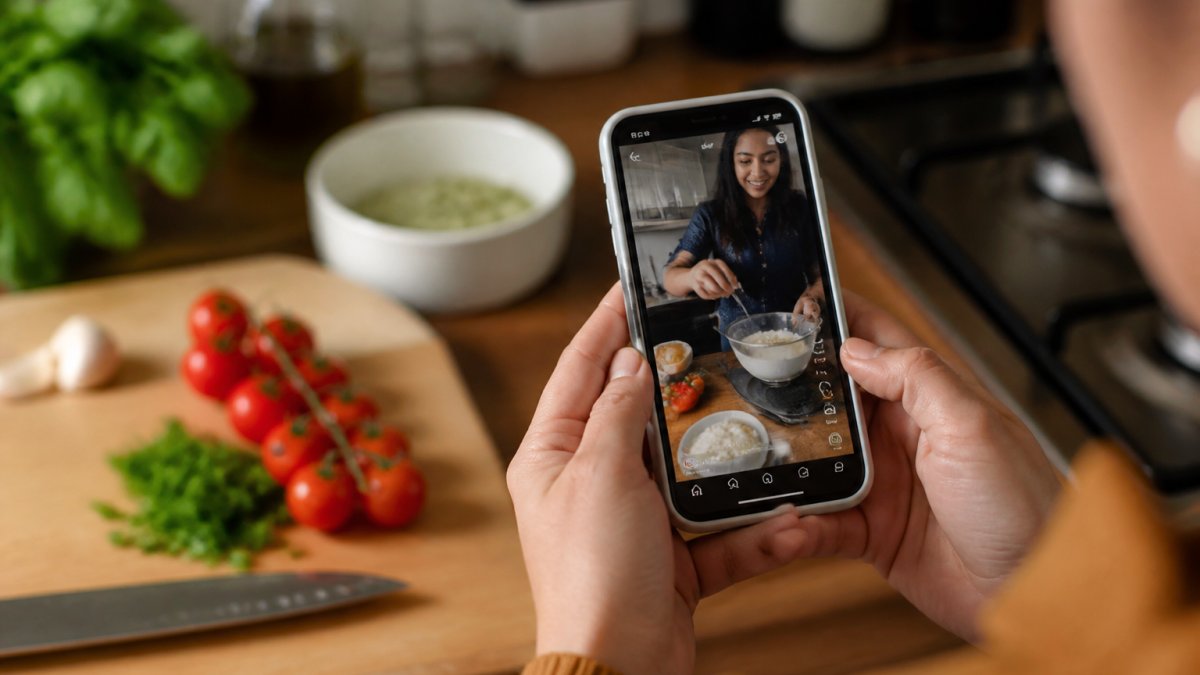
Social media is where most home cooks discover recipes now, TikTok, Instagram Reels, YouTube. But saving those recipes into something usable is the bottleneck.
Platform Support and Import Methods
Linkplate supports YouTube, Instagram, and food blogs directly.
Cookbook works with recipes already in standard format (like a website recipe card). It doesn't pull from social media videos natively, you'd find the recipe elsewhere or enter it manually.
FoodiePrep has no social media integration. If you want to use a TikTok recipe, you'd need to enter it manually or find it on a food blog first.
Accuracy and Reliability
Not every social media recipe is complete, some TikToks skip measurements, some Reels omit the full recipe. Linkplate extracts what's available and flags missing information so you can fill it in.
Cookbook and FoodiePrep avoid this problem by not attempting social media capture. If you enter the recipe manually or find it on a food blog, the data is usually complete.
The trade-off is real: Linkplate requires you to verify extracted recipes. Manual entry takes longer but guarantees accuracy.
AI Meal Planning Apps: How They Compare
Most AI meal planners generate suggestions but don't integrate well with your pantry, dietary restrictions, or shopping reality.
Personalization and Taste Profiles
FoodiePrep learns your preferences over time: rate meals and it adjusts suggestions; mark dietary restrictions and it filters options. It's genuinely personalized after a few weeks.
Linkplate doesn't do AI meal planning, it organizes recipes you've chosen.
Cookbook sits in the middle. It lets you organize recipes and build meal plans manually, but it doesn't generate suggestions.
The question: do you want the app to suggest meals, or help you execute ones you've chosen?
Meal Suggestions and Dietary Restrictions
FoodiePrep handles multiple dietary restrictions well. If your family has three different diets (gluten-free, vegetarian, standard), it can filter suggestions for each.
Cookbook lets you tag recipes by dietary restriction, so you can filter manually. It works, but it's not automated.
Linkplate doesn't focus on meal suggestions. It focuses on making the recipes you've chosen easy to execute.
Founders limited offer is open now →
The practical reality: dietary restrictions matter most when you're meal planning, not when you're organizing existing recipes. If meal planning is your bottleneck, FoodiePrep.
Best Meal Planner and Recipe App: Which One Actually Saves Time
Time savings is the only metric that matters. An app that looks nice but doesn't save time is just another browser tab.
Grocery List Generation and Shopping Workflows
Select recipes for the week and Linkplate generates a grocery list automatically, no manual entry, no copying from five recipe cards. One click, one shopping list.
Cookbook can generate grocery lists, but it's a manual process. You add recipes to a meal plan, then generate the list.
FoodiePrep generates grocery lists from its meal suggestions. If you use its AI planning, this is seamless.
[Create Grocery List From Recipes: A Complete 2026 Guide | page:2] walks through the full workflow and shows exactly how much time this saves in practice.
Weekly Meal Planning and Meal Prep
Meal planning is where FoodiePrep excels. It generates a full week of suggestions, adjusts for your preferences, and creates a shopping list.
Linkplate helps you execute meal prep once you've decided what to cook. You've got your recipes organized, your grocery list ready, and you're cooking.
Cookbook works for meal planning if you're disciplined about using it weekly. It doesn't automate the process, but it organizes everything you need.
Data Privacy, Portability, and Long-Term Reliability
You're storing personal information in these apps: what you eat, dietary restrictions, shopping habits, family preferences. That data matters. Before committing to any app, understand what happens if the company changes ownership or shuts down.
All three apps claim to store data securely, but none of them guarantee permanent access if the service discontinues. This is an industry-wide problem, not unique to these apps. If you're worried about losing your recipe collection, maintain a backup. Export recipes periodically to a spreadsheet or PDF.
Linkplate, Cookbook, and FoodiePrep all allow exporting your data. Check their settings for export options before you start building your collection. A 10-minute export process every few months is cheap insurance against losing years of saved recipes.
Who Should Choose Which App
The choice depends on your specific workflow and what's slowing you down. Here's how to decide.
For Busy Parents and Meal Preppers
If you're juggling work, kids, and trying to get dinner on the table by 6 PM, you need speed.
Linkplate is your pick. Capture recipes from TikTok and Instagram as you see them. Convert them to grocery lists instantly.
FoodiePrep works if you want the app to suggest meals and remove the "what's for dinner?" decision.
Cookbook works if you've got a stable collection of recipes you've already saved elsewhere and want a powerful search tool.
For Social Media Recipe Collectors
If you save 10+ recipes per week from TikTok, Instagram, and YouTube, you need a tool built for that workflow. How to Organize Saved Instagram Recipes: A Complete Guide shows exactly how to build this workflow with the right tools. Best Way to Save TikTok Recipes: A Complete Guide shows exactly how to build this workflow with the right tools.
Linkplate is designed for this. It captures, cleans, and organizes social media recipes. No manual entry, no copying ingredients by hand.
Cookbook and FoodiePrep don't handle social media capture efficiently. You'd spend more time entering recipes than cooking them.
[Best Way to Save TikTok Recipes: A Complete Guide | page:4] and [How to Organize Saved Instagram Recipes: A Complete Guide | page:5] show exactly how to build this workflow with the right tools.
For Health-Conscious Users with Dietary Restrictions
If your household has multiple dietary needs, gluten-free, vegetarian, allergies, you need an app that filters intelligently.
FoodiePrep handles this best. It learns your restrictions and suggests meals that fit. If you have a family with mixed diets, this saves time on meal planning.
Linkplate organizes recipes you've chosen, so you can tag by dietary restriction and filter manually. It works, but it requires more effort upfront.
Cookbook offers similar tagging and filtering to Linkplate, but without the social media capture advantage.
The Bottom Line: Your Next Recipe App
The cookbook vs foodieprep comparison reveals that neither app is universally best. They solve different problems.
Your choice depends on your biggest bottleneck. If it's discovering and capturing recipes, choose Linkplate. If it's deciding what to cook, choose FoodiePrep.
Most people benefit from combining tools. Use Linkplate to capture social media recipes and generate grocery lists.
Start with whichever solves your most urgent problem. You can always add another tool later.
Recipe organization doesn't have to be complicated.
Frequently Asked Questions
How does Cookbook vs FoodiePrep differ in recipe organization?
Both organize recipes into collections. Your choice depends on whether you value precise recipe capture or intelligent meal suggestions.
Can these apps reliably capture recipes from TikTok and Instagram Reels?
Both apps support saving recipes from social media platforms, but reliability varies by source format. Short-form video recipes on TikTok and Instagram Reels pose challenges because ingredients and instructions appear as voiceover or on-screen text rather than structured data. For the fastest, most accurate capture, stick with recipe websites and food blogs where ingredient lists are already formatted.
Which is the best recipe organizer app if I have multiple dietary restrictions?
FoodiePrep excels at filtering recipes by dietary preferences and restrictions during meal planning, allowing you to set multiple dietary filters at once. Cookbook handles dietary restrictions through tagging and search but requires more manual categorization. If managing allergies and dietary requirements is your priority, FoodiePrep's built-in restriction filters make it the stronger choice. Both apps let you save recipes, but FoodiePrep streamlines the process of finding meals that fit your specific needs.
Does saving recipes to these apps actually save you time compared to a spreadsheet?
Yes, if you use the grocery list feature. Both apps convert saved recipes into shopping lists automatically, eliminating manual typing and reducing time spent organizing ingredients. A spreadsheet requires manual entry for every recipe and grocery list, making these apps substantially faster for busy households.

What should I read next?
- How Do You Calculate Nutrition From Instagram Recipes? · 15 min read
- Which YouTube Cooking Channels Are Best for Beginners? · 9 min read
- How to Search Recipes I Have Saved · 12 min read
- 7 Best Apps for Grocery Planning and Smart Shopping · 14 min read
Or browse every post.
Questions or ideas for a post? Get in touch →